INDIGO Park Canada
1 Place Ville-Marie, Suite 1130,
Montréal, Quebec H3B 2A7
1 Place Ville-Marie, Suite 1130,
Montréal, Quebec H3B 2A7
1 Place Ville-Marie, Suite 1130,
Montréal, Quebec H3B 2A7


Your complete guide to using the Indigo Neo website and app to find and book convenient parking in your city
We get it – finding parking can feel like a never-ending game of chance.
Whether you’re rushing to work, heading out for dinner, or trying to catch a flight, the last thing you want is to waste time circling for a spot or scrambling for loose change at a pay station.
That’s why we created Indigo Neo, a parking reservation platform that makes it easy to find your spot, pay for your parking session, or book in advance with just a tap.
You can choose your favourite Indigo parking spot from over 300,000 spaces across Canada, including major cities like Calgary, Toronto, Montreal, Ottawa, Quebec, Halifax, Winnipeg, and Vancouver. With over 500,000 active users nationwide, Indigo Neo is designed to take the guesswork out of parking.
If you’re a first-time parker with us, then this is the best place to start!
In this guide, you’ll learn:
How to Search for a Parking Spot
About Flexible Parking Options
How to Find Lots with EV Chargers
Frequently Asked Questions (FAQs)
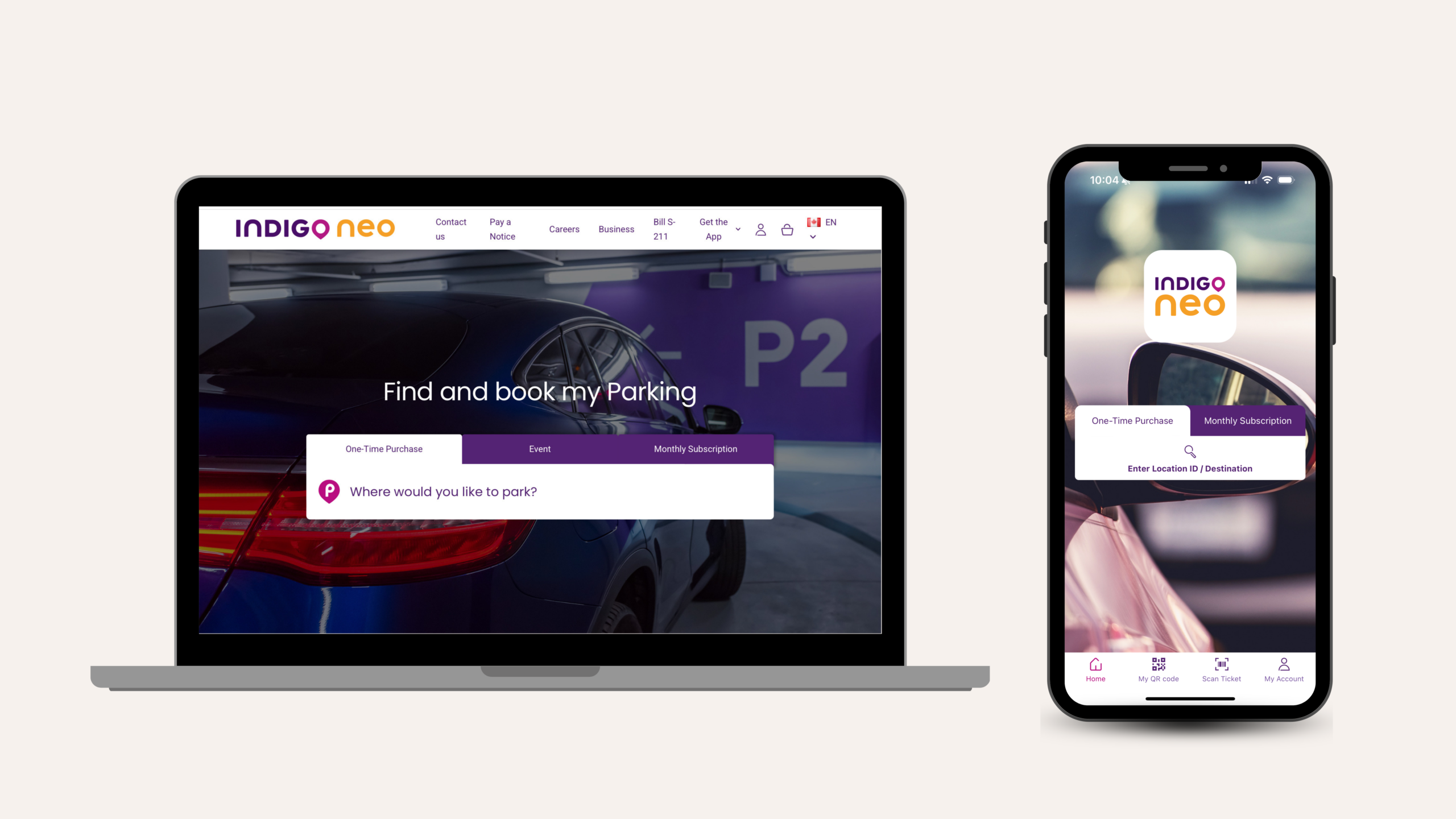
Open the Indigo Neo app (available for download on Google Play and Apple Store) or visit indigoneo.ca to start your search.
You can look for parking by address or destination, city or neighbourhood, event venues, airports, and transit hubs.
Find a spot that fits your needs. Each location listing includes:
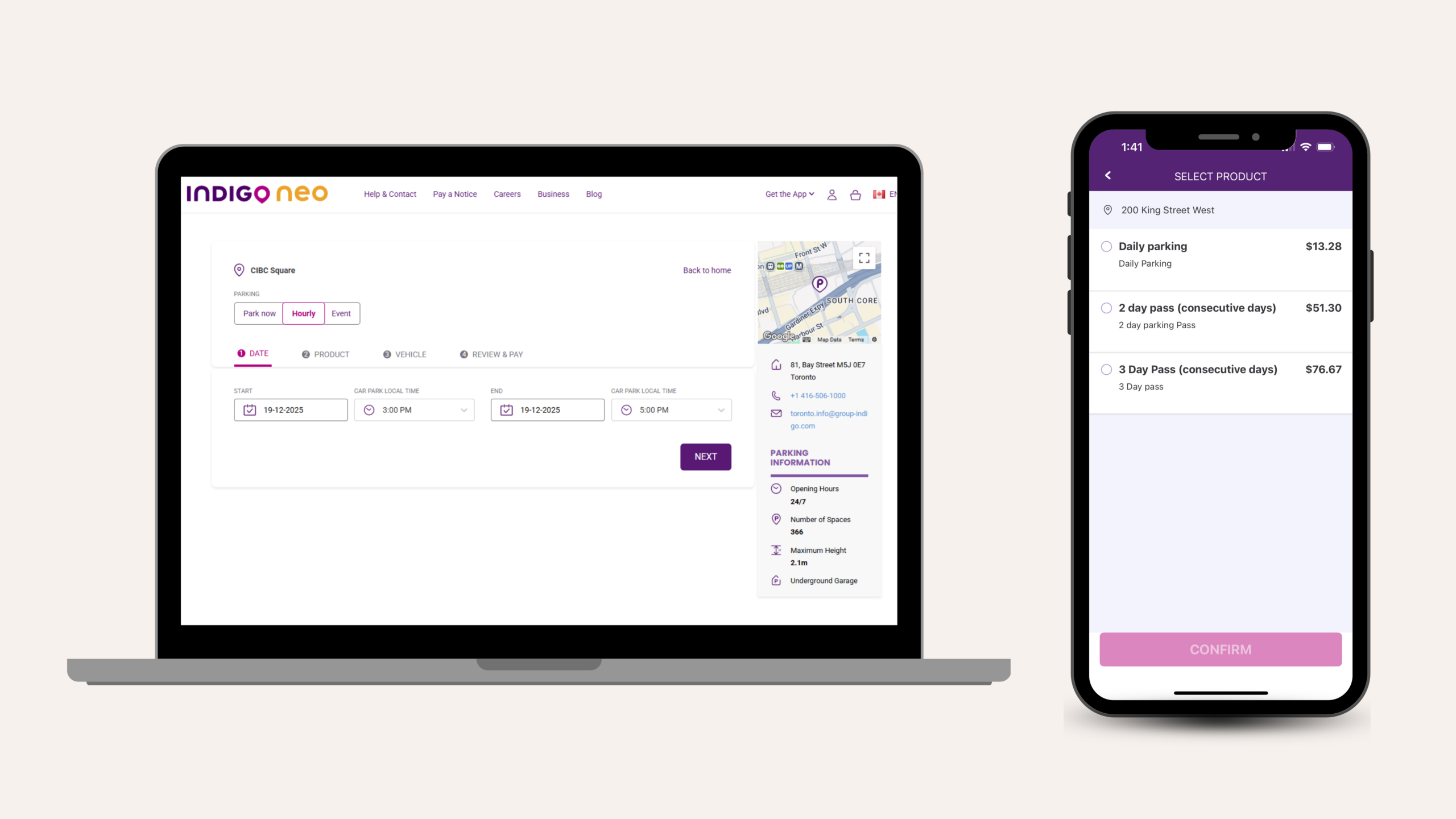
Indigo Neo is designed to give you flexibility. Whether you’re staying for an hour or all day, find the price and parking option that fits your plans.
Depending on the parking lot, you can choose:
Pay on the go or reserve your parking in advance for the moments that matter; whether you’re heading to a concert, a hockey game, an airport departure, or a busy downtown weekend.
Once you book, you’ll receive a digital pass along with an email confirmation, so you have every detail you need at your fingertips.
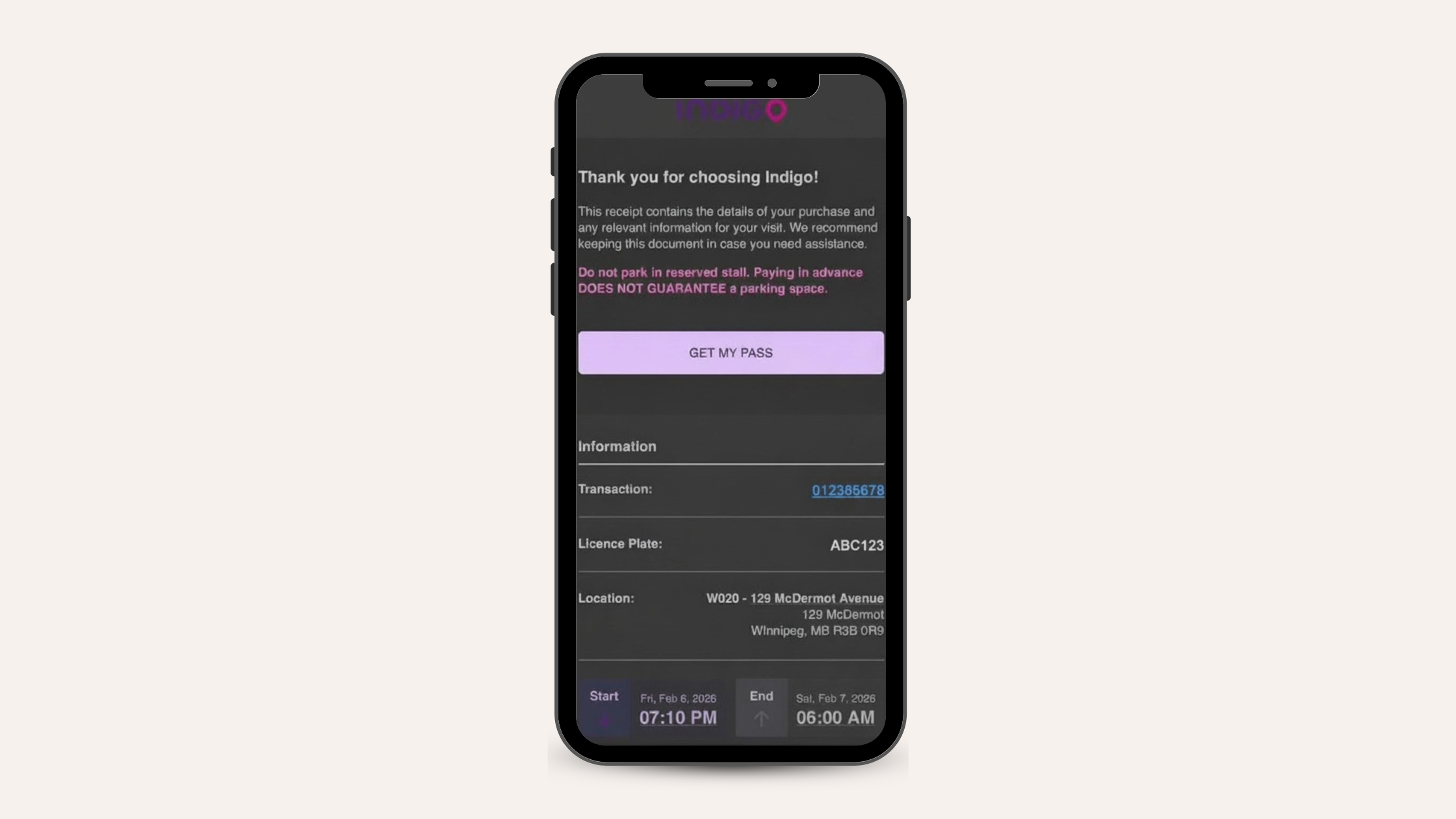
Where applicable, you can extend your current parking session or purchase another transaction to continue it.
You can also access your current, upcoming, and past reservations at any time. And if your plans change, no stress! You can cancel your reservation before it starts (this is only applicable to select lots).
Indigo Park Canada is expanding its EV network across cities and private properties nationwide.
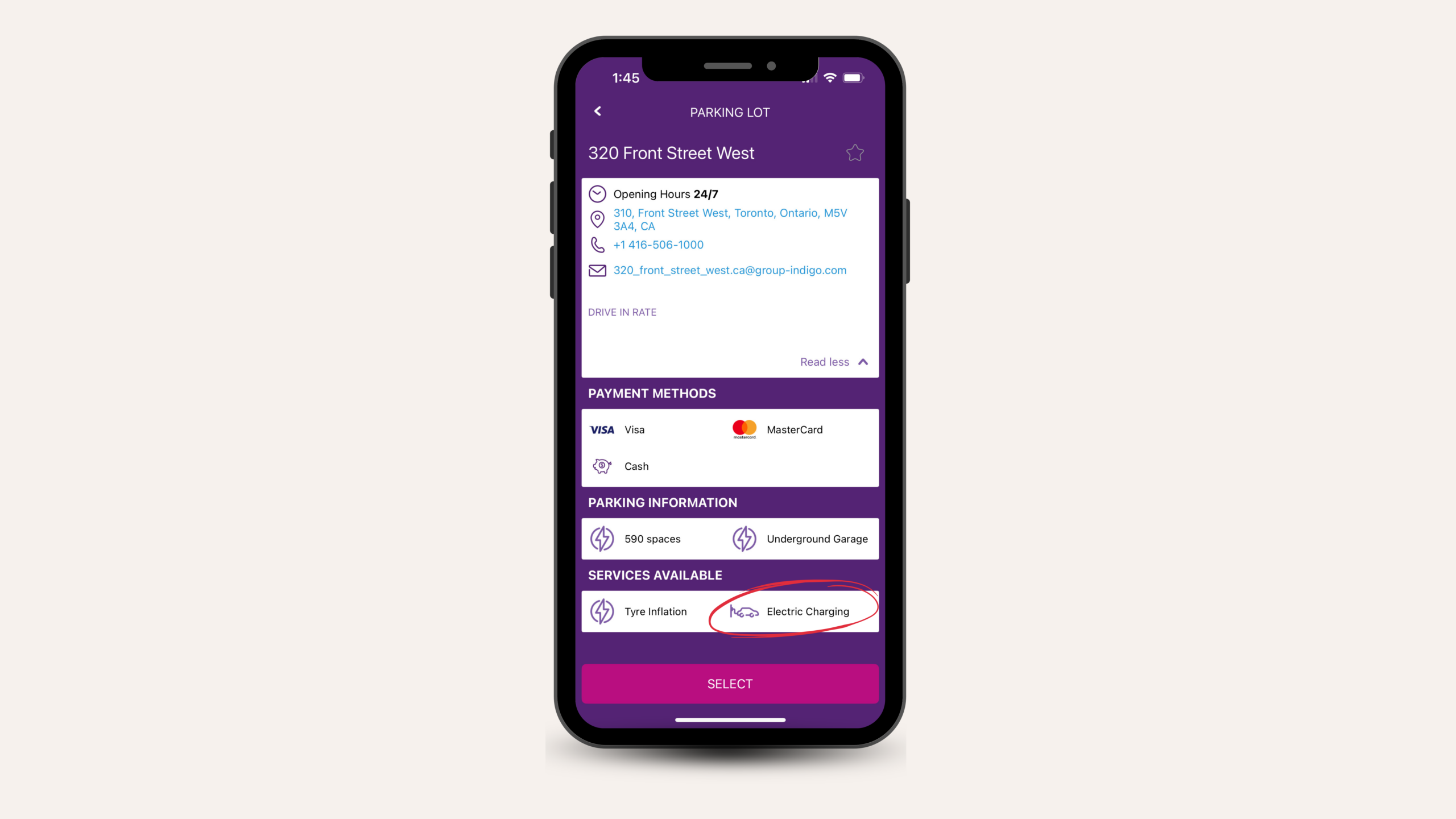
At participating lots, you’ll see:
Look for the EV charging icon in the Indigo Neo app to see if a lot has available charging stations.
Apply, manage, and pay for your monthly pass directly through the app. Passes are available at hundreds of Indigo parking locations Canada-wide.
Saves time: No more circling for a space or scrambling at pay stations.
Reduces stress: You know exactly where you’re parking before you leave the house.
Transparent pricing: What you see is what you pay.
Ideal for everyday moments: Work commutes, appointments, errands, lunch runs, date nights, concerts, Indigo Neo fits into your routine.
Perfect for special days: Events, holiday markets, festivals, and airport trips, plan ahead with confidence.
You can easily book your parking on our website by following the steps here: Book Online.
If you have the Indigo Neo app, booking your parking can be done with a few clicks. Book on the app.
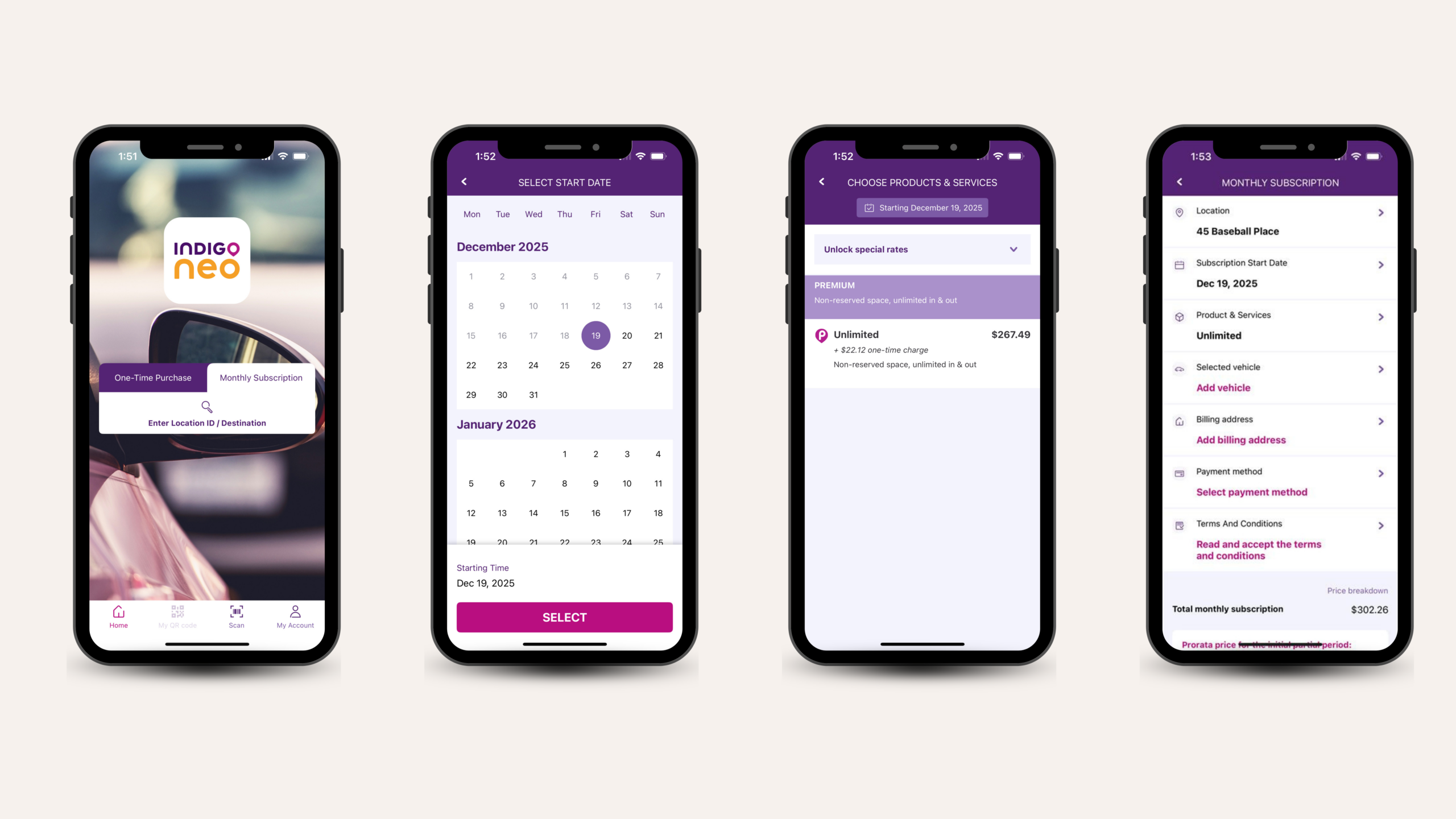
Having a monthly subscription can be a cost-saving option if you’re a regular commuter. Follow the steps here to get your monthly pass: Book a monthly pass.
If you would rather get your monthly subscription from the app, follow these steps: Book a monthly pass on the app.
It’s easy! Simply fill in an online form and submit it through our Help & Contact page. Click on Monthly Parking > Cancel my monthly subscription.
Booking your parking in advance is a great way to plan ahead and avoid stressful situations. Follow these steps to book online: Book in advance
You can also book your parking in advance easily using the Indigo Neo App: Book using the App.
No longer need parking? Want to cancel? No problem, follow these steps to cancel your reservation using our website: Cancel my parking.
You can also cancel your reservation on the app: Cancel reservation on the app.
How far in advance you can book varies by lot location; most lots allow you to book 45 days in advance.
Your parking is approved once your reservation is confirmed. While a specific space isn’t physically set aside, Indigo’s parking locations manage availability in real time to ensure reservations aren’t overbooked, so a spot will be ready when you arrive.
You can enter before and exit after your booking window, but any time outside your prepaid hours may be charged at the lot’s standard rate.
If you need more time, you can easily extend your booking on the app or on our website (only at applicable lots). Please note that overstaying your allotted time will result in being charged at the lot’s standard rate.
You can access all your bookings directly on the app or online. Log in and navigate to “your account.” You will have access to current, upcoming, and past bookings.
Yes, you can. At select lot locations, we have our Scan-to-pay feature, which allows you to book and pay for parking without downloading the app. Just scan the QR code on the signage and follow the instructions to pay for parking. No app downloads or sign-ups required.
Indigo offers dedicated customer support. You can reach our team through:
For all other concerns or questions, visit our Help page.
With Indigo Neo, everything you need, from searching and booking to paying and managing your parking, is right at your fingertips. Whether it’s a quick stop, a daily commute, or a special event you want to plan ahead for, Indigo Neo helps you park with confidence and ease.
Download the app or visit indigoneo.ca today and turn parking into one less thing to worry about.